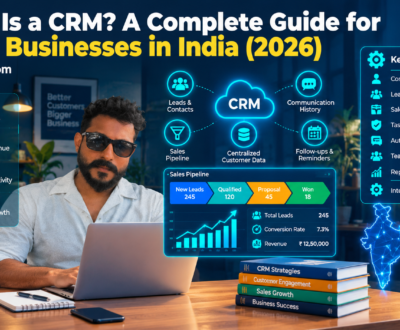
What Is a CRM? A Complete Guide for Small Businesses in India (2026)
- October 20, 2026
- Uncategorized
Struggling to manage customer enquiries, sales follow-ups, and customer information across WhatsApp, spreadsheets, emails, and phone calls? A Customer Relationship Management (CRM) system can help you bring everything together.
As a business grows, managing customer relationships becomes increasingly complex. Leads come from different channels, sales conversations happen across multiple platforms, employees forget follow-ups, and important customer information gets lost.
Initially, a spreadsheet may be enough. But as enquiry volumes increase and more employees join the team, disconnected systems can create missed opportunities, inconsistent communication, and poor visibility into sales performance.
This is where CRM software can help.
A CRM system helps businesses organise customer information, track interactions, manage sales pipelines, schedule follow-ups, and understand how opportunities move from initial enquiry to completed sale.
In this guide, we explain what CRM is, how it works, its benefits for Indian small and medium-sized businesses (SMEs), which features to look for, and how to implement a CRM without making your operations unnecessarily complicated.
What Is CRM?
CRM stands for Customer Relationship Management.
It refers to the processes, strategies, and technologies businesses use to manage relationships with potential and existing customers.
CRM software provides a central place to record customer details, track conversations, manage sales opportunities, schedule follow-ups, and monitor customer interactions.
For example, imagine a website development company receives enquiries through its website, LinkedIn, Instagram, referrals, and WhatsApp.
Without a structured system, each employee may maintain separate records. Some enquiries may never receive a response, and the founder may have no clear view of the sales pipeline.
With a CRM, the company can record enquiries centrally, assign them to team members, track their status, and schedule the next action.
The purpose is simple: help your business manage customer relationships systematically instead of relying on memory and scattered information.
How Does a CRM System Work?
A typical CRM process follows the customer journey from initial contact to ongoing relationship management.
Step 1: Capture leads
A potential customer submits a website form, calls your business, sends a message, or contacts a salesperson.
The enquiry is recorded in the CRM, either manually or through an integration.
Step 2: Organise customer information
The CRM stores relevant information such as the customer's name, contact details, company, requirements, source, and previous interactions.
Step 3: Qualify the lead
Your team assesses whether the prospect matches your target customer profile, has a relevant requirement, and is likely to purchase.
Step 4: Assign ownership
The lead is assigned to the appropriate salesperson or department so responsibility is clear.
Step 5: Manage follow-ups
The team records calls, meetings, proposals, reminders, and next steps.
Step 6: Track the sales pipeline
The CRM shows whether each opportunity is new, qualified, under discussion, awaiting a proposal, won, or lost.
Step 7: Analyse performance
Managers can review lead sources, conversion rates, pipeline value, follow-up activity, and sales outcomes.
The exact workflow depends on your business model and the CRM you choose.
Why Do Small Businesses in India Need a CRM?
Many businesses believe CRM software is only for large companies with dedicated sales departments. In reality, even a small team can benefit from a structured customer-management process.
Here are some common situations where CRM becomes useful.
1. Leads are getting lost
Enquiries arrive through multiple channels, and nobody has a complete picture of all incoming opportunities.
A CRM can centralise lead records and help ensure each enquiry has an owner and a next action.
2. Follow-ups are inconsistent
Salespeople may forget to call a prospect, send a proposal, or reconnect after a meeting.
A CRM can create reminders and make pending follow-ups visible.
3. Customer information is scattered
Important details sit in spreadsheets, email inboxes, personal phones, and individual employees' notebooks.
A shared CRM can make relevant customer information accessible to authorised team members.
4. The founder manages every sales decision
When the founder must personally track every lead, approve every proposal, and remind every employee to follow up, growth becomes difficult to manage.
A CRM can help standardise responsibilities, workflows, and reporting, reducing reliance on individual memory.
5. Sales performance is difficult to measure
Without reliable records, it is difficult to determine how many enquiries become customers, which channels perform best, or where opportunities are being lost.
A CRM can provide a clearer view of the sales process when employees maintain accurate data.
10 Essential CRM Features for Small Businesses
Not every business needs an advanced CRM with dozens of features. Start with the capabilities that solve your most important operational problems.
1. Contact management
Store customer and prospect details in an organised database.
Look for searchable records, notes, interaction history, and appropriate access controls.
2. Lead management
Capture enquiries, record their source, assign owners, and track their status.
This is particularly useful when leads come from multiple marketing channels.
3. Sales pipeline management
Visualise opportunities across different stages of the sales process.
A pipeline helps managers understand what is progressing, what is delayed, and which opportunities need attention.
4. Follow-up reminders
Create tasks for calls, emails, meetings, and proposal follow-ups.
Reminders are most useful when employees update the CRM consistently.
5. Task and activity tracking
Record completed calls, scheduled meetings, customer interactions, and pending activities.
This supports accountability without requiring managers to ask every employee for manual updates.
6. Reporting and analytics
Track metrics such as new leads, qualified opportunities, sales conversion rates, deal value, and lost-sale reasons.
Reporting should answer practical business questions rather than simply display large amounts of data.
7. Integration with existing tools
Depending on your workflow, integrations may include email, website forms, calendars, telephony, accounting software, or messaging platforms.
Check exactly what your chosen CRM supports, as integrations may require paid plans, third-party services, or additional configuration.
8. Workflow automation
Automate suitable repetitive tasks, such as assigning leads, creating reminders, notifying team members, or updating opportunity stages.
Keep human review where judgement, negotiation, or personal communication is important.
9. Customer communication history
Give authorised employees access to relevant previous interactions so customers do not have to repeatedly explain their requirements.
Communication integrations should be implemented with appropriate permissions and privacy safeguards.
10. Mobile accessibility
Sales teams that work outside the office may need to access records, update activities, and review customer details from their phones.
Evaluate the mobile experience before choosing a platform.
CRM vs Excel: Which Is Better for Small Businesses?
Excel and Google Sheets can be perfectly reasonable tools for a small operation. A CRM becomes more valuable when customer interactions and sales workflows require greater structure.
| Factor | Excel or Google Sheets | CRM software |
| Initial setup | Usually simple | Requires configuration |
| Customer database | Manual organisation | Structured contact records |
| Follow-up reminders | Must be created or integrated | Often built in or configurable |
| Sales pipeline | Can be built manually | Usually a core feature |
| Team accountability | Depends on sheet discipline | Can include ownership and activity tracking |
| Automation | Possible, but may require additional setup | Often includes workflow automation |
| Reporting | Flexible but can require manual work | Often includes predefined dashboards |
| Best suited for | Simple, low-volume workflows | Growing teams and more complex customer journeys |
Which should you choose?
Continue using a spreadsheet if your business has few leads, limited collaboration needs, and a straightforward sales process.
Consider CRM software when leads are being missed, multiple employees manage the same customers, follow-ups are inconsistent, or reporting takes too much time.
Do not adopt a CRM simply because other companies use one. Adopt it when it solves a real operational problem.
5 CRM Software Options for Small Businesses in India
The right CRM depends on your budget, sales process, team size, integrations, and reporting requirements. These platforms are worth evaluating; their current features and prices should be verified directly before purchasing.
1. Zoho CRM
Zoho CRM offers contact management, sales pipeline tools, workflow automation, and reporting features across its available plans.
It is worth evaluating if you want a configurable CRM and may eventually need to connect customer management with other business applications.
Official website: https://www.zoho.com/crm/
2. HubSpot CRM
HubSpot provides CRM capabilities for managing contacts, deals, and sales activities, with additional tools available across its product ecosystem.
It may suit businesses looking for an accessible starting point and the option to add marketing or service capabilities as requirements grow.
Official website: https://www.hubspot.com/products/crm
3. Salesforce
Salesforce offers CRM capabilities for businesses with more complex sales processes, custom workflows, and integration requirements.
It may be worth considering when your business needs extensive configuration or advanced customer-management processes. Evaluate the implementation effort and total cost carefully.
Official website: https://www.salesforce.com/
4. Freshsales by Freshworks
Freshsales provides sales-focused CRM capabilities, including contact management, deal tracking, and automation features depending on the plan.
It is worth evaluating if you want to organise sales activity and improve visibility across your pipeline.
Official website: https://www.freshworks.com/crm/sales/
5. LeadSquared
LeadSquared offers lead management and sales execution capabilities, with offerings relevant to businesses that manage structured lead-generation and conversion processes.
It may be worth evaluating for teams with high enquiry volumes or more involved sales workflows.
Official website: https://www.leadsquared.com/
Important: Do not choose software based on brand popularity alone. Compare current plan limits, total costs, integrations, data-export options, support, and ease of adoption against your specific needs.
How Much Does CRM Software Cost in India?
CRM costs vary considerably by platform, subscription tier, number of users, billing frequency, and required integrations.
Your total cost may include more than the software subscription.
Consider these components:
- Software subscription per user.
- Setup and configuration.
- Data migration and cleaning.
- Integration with websites and communication tools.
- Employee training.
- Ongoing administration.
- Additional automation or reporting tools.
A low-cost subscription may be sufficient for basic contact and pipeline management. More complex workflows may require higher-tier plans, specialist implementation, or additional services.
Before purchasing, estimate the total cost of ownership rather than comparing subscription prices alone.
Also calculate the business value you expect to create—for example, fewer missed leads, less manual reporting, faster follow-ups, or improved conversion visibility.
These benefits should be measured after implementation rather than assumed in advance.
How to Implement a CRM in Your Business: A 30-Day Roadmap
A successful CRM implementation starts with your business process, not the software dashboard.
Week 1: Audit your existing process
Document how enquiries arrive, who handles them, how follow-ups happen, and how sales outcomes are recorded.
Identify the most important gaps, such as unassigned leads, missed follow-ups, duplicate records, or poor reporting.
Deliverable: A documented lead-management process.
Week 2: Choose and configure your CRM
Select a platform that fits your needs and budget.
Define your contact fields, pipeline stages, lead ownership rules, reminders, and reporting requirements.
Avoid building unnecessary complexity before your team understands the basic workflow.
Deliverable: A working CRM configured around your sales process.
Week 3: Migrate data and train employees
Clean your existing customer records, remove duplicates where appropriate, and import the data you actually need.
Train employees on recording interactions, updating stages, assigning tasks, and maintaining accurate records.
Define who is responsible for data quality and administration.
Deliverable: A usable customer database and a trained team.
Week 4: Launch and review
Begin using the CRM for real customer interactions.
Review missing fields, overdue tasks, duplicate records, pipeline accuracy, and employee adoption.
Adjust the workflow based on practical feedback.
Deliverable: An operating system for lead management, follow-ups, and sales visibility.
A 30-day rollout is a suggested starting point, not a guarantee. Complex businesses may require more time for integrations, data migration, security review, and employee adoption.
Common CRM Implementation Mistakes to Avoid
Buying CRM software does not automatically improve sales performance. Several implementation mistakes can prevent businesses from receiving value.
Mistake 1: Automating a broken process
If your sales process is unclear, automation may simply make the confusion happen faster.
Map and simplify the process before automating it.
Mistake 2: Adding too many fields
Excessive data-entry requirements can frustrate employees and reduce adoption.
Collect information that supports a real business decision.
Mistake 3: Ignoring employee training
A CRM that employees do not understand or trust will often become an outdated database.
Explain why the system exists and how it helps employees do their jobs.
Mistake 4: Failing to assign ownership
Every lead should have a clear owner and next action wherever the workflow requires follow-up.
Mistake 5: Measuring activity instead of outcomes
More calls or more CRM entries do not necessarily mean better sales performance.
Measure qualified opportunities, conversion rates, customer acquisition costs, and other relevant outcomes.
Mistake 6: Ignoring data protection
Customer information should be handled responsibly. Restrict access appropriately, review vendor security and data-handling terms, and follow applicable privacy and consent requirements.
How CRM Connects With Marketing, Websites, and Automation
CRM is most useful when it connects to the wider customer journey.
Consider a business that runs Google Ads and receives enquiries through its website.
A connected workflow might look like this:
- A prospective customer visits a landing page.
- The customer submits an enquiry form.
- The enquiry is recorded in the CRM with its source.
- The lead is assigned to a salesperson.
- A reminder is created for follow-up.
- The salesperson qualifies the prospect and shares a proposal.
- The opportunity is marked won or lost.
- The business reviews which marketing channels generate qualified customers.
This creates a more complete view of the journey from marketing activity to sales outcomes.
However, the workflow depends on correctly configured integrations, reliable tracking, and employee adoption. Not every CRM supports every integration natively.
Businesses may also connect CRM data with reporting tools, inventory systems, accounting software, or customer-support platforms when there is a clear operational benefit.
CRM Is Not Just Software: It Is a Business Process
One of the biggest misconceptions about CRM is that installing a tool is enough to solve sales and customer-management problems.
A CRM cannot independently fix an unclear offer, an untrained sales team, poor customer service, or an ineffective follow-up strategy.
Technology supports the process; it does not replace the need to design and manage it.
Before selecting software, answer these questions:
- How does a lead enter our business?
- Who is responsible for responding?
- What makes a lead qualified?
- What actions must happen at each sales stage?
- How do we record lost opportunities?
- Which metrics do managers need?
- Which repetitive tasks should be automated?
- What customer information genuinely needs to be stored?
These answers provide the foundation for choosing and implementing the right system.
Frequently Asked Questions About CRM
What is CRM in simple words?
Is CRM useful for small businesses?
Which CRM is best for small businesses in India?
Can CRM automate WhatsApp follow-ups?
Is CRM the same as ERP?
How long does CRM implementation take?
What is the difference between CRM and lead management?
About us and this blog
We are a digital marketing company with a focus on helping our customers achieve great results across several key areas.
Request a free quote
We offer professional SEO services that help websites increase their organic search score drastically in order to compete for the highest rankings even when it comes to highly competitive keywords.
Subscribe to our newsletter!
More from our blog
See all posts